Text Message (SMS) Program
Last updated: August 30, 2026
YMSecretary is a private web application used by a single Young Men’s youth organization within a local congregation to coordinate priesthood assignments and youth activities. Accounts are created by members of the organization (youth, parents, and adult leaders) and are either approved by an administrator or confirmed by the member themselves through the double opt-in described below. Because most of the app requires sign-in, this page publicly documents how users opt in to text messages.
There are two ways to opt in, both described below. The second one — our public sign-up form — needs no account at all, so a reviewer can inspect the actual consent language and checkbox first-hand at ymsec.app/join.
How opt-in works — 1. In-app registration
- A member signs in and begins account registration.
- They enter their own mobile phone number and verify it with a one-time code sent to that number. No phone numbers are ever added by a third party.
- They choose Text message or Both as their preferred contact method.
- They must check a consent checkbox that is unchecked by default. The form cannot be submitted with text messaging enabled unless the box is checked.
How opt-in works — 2. Public sign-up form (double opt-in)
Members of the congregation are handed a printed flyer at a congregation meeting carrying a QR code to ymsec.app/join. That form is the second opt-in path, and it is a standard double opt-in:
- A person enters their own name and their own mobile phone number. Numbers are never uploaded, purchased, or entered by a third party; the only exception is a parent entering their own minor child’s number, described below.
- A consent checkbox appears as soon as a phone number is entered. It is unchecked by default, carries the full disclosures, and nothing is sent by text unless it is checked.
- We send exactly one message to that number — a confirmation carrying a link on our own domain and Reply STOP to opt out:
YMSecretary: tap to finish signing up — ymsec.app/j/XXXXXXXX Reply STOP to opt out.
- The opt-in is only recorded when the person opens that link, which confirms they hold the number. If it is never opened, no account is created and no further message is ever sent to that number.
- Opening the link records the opt-in and immediately sends the standard confirmation message quoted under “What we send” below.
Parents opting in on behalf of a minor child.A parent may give consent for their own child, and the app records which parent gave it. The confirmation message goes to the child’s number, not the parent’s, and a parent who leaves that box unchecked simply receives their child’s notices themselves instead.
Screenshots of the opt-in flow
The complete flow as a member sees it, captured from the app. Click any screenshot to view it full size.
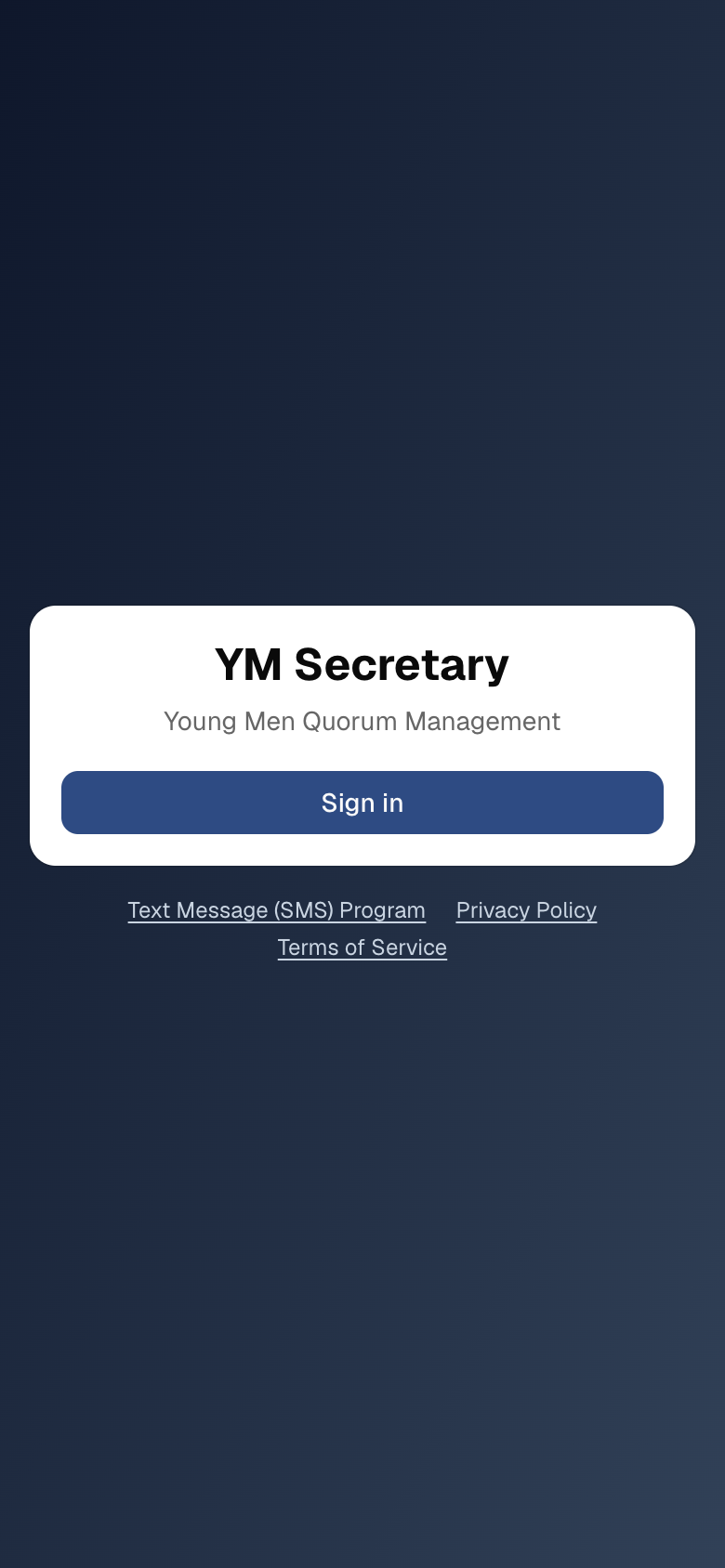
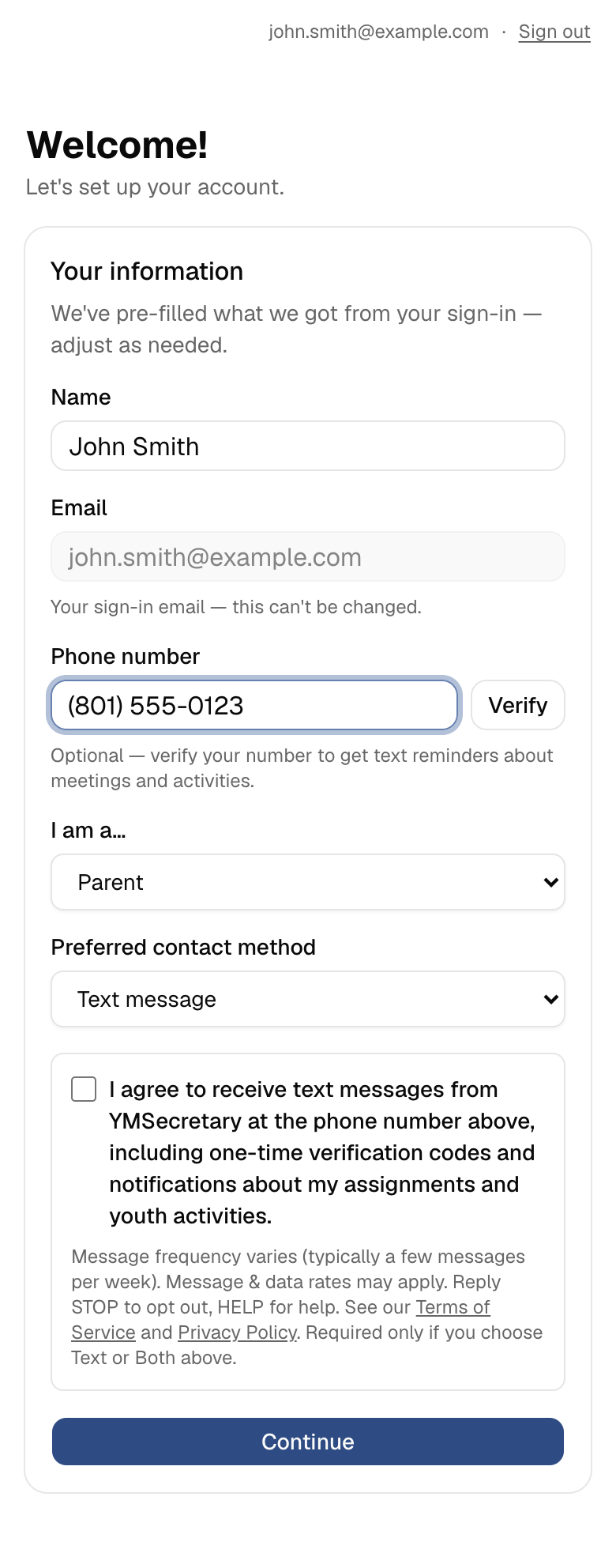
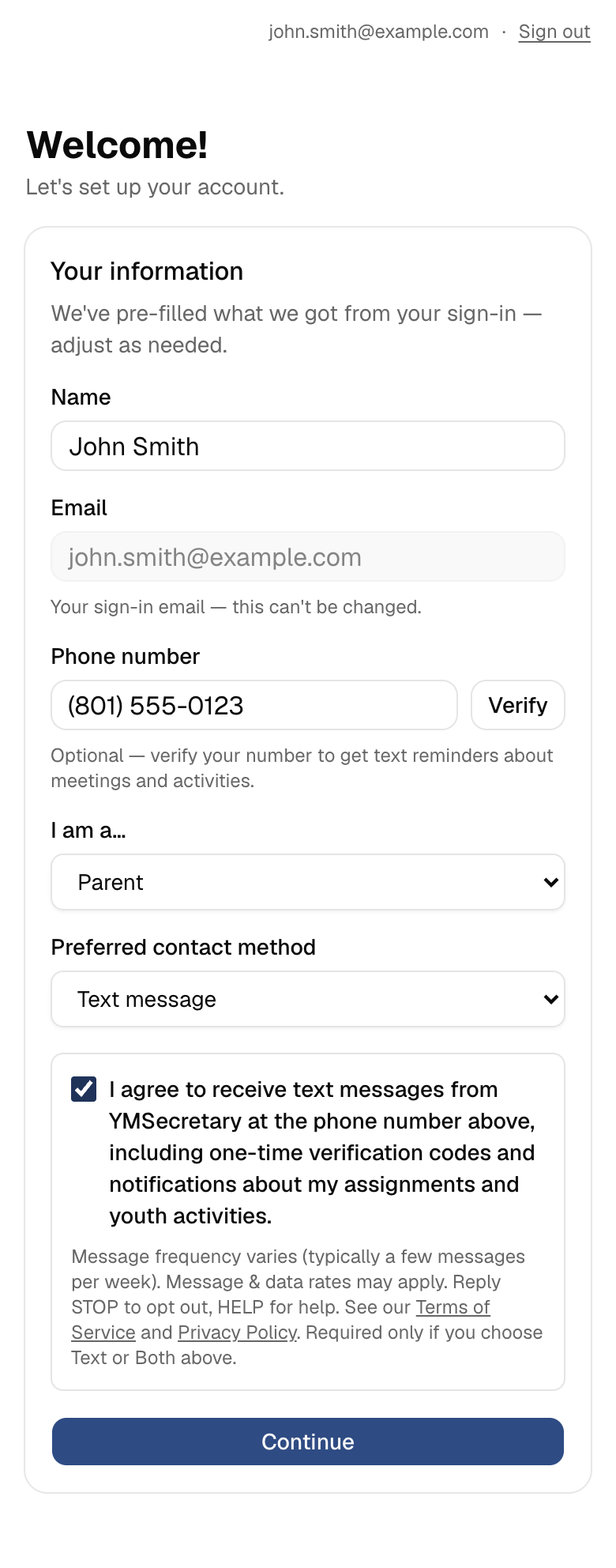
The consent step, as it appears during registration
Message frequency varies (typically a few messages per week). Message & data rates may apply. Reply STOP to opt out, HELP for help. See our Terms of Service and Privacy Policy. Required only if you choose Text or Both above.
(Non-functional replica of the consent section of our registration form, shown here because registration requires sign-in.)
What we send
Messages are strictly informational and account-related: one-time phone verification codes, a one-time notice when an administrator approves the account, notices when an assignment or activity is created, changed, rescheduled, or canceled, and reminders before scheduled events. Parents receive the same notices about their own child’s assignments. We send no marketing, promotional, or sales content. Message frequency varies — typically a few messages per week.
Messages may include links, always to pages on our own domain (ymsec.app) — for example an activity’s details page, a permission form or waiver for an upcoming activity, or a map to an activity location. We never use link shorteners or third-party domains.
The one exception to “only after opt-in” is the double opt-in confirmation link described above. It is sent once, only to a number the person has just typed into our own form while checking the consent box, and it carries STOP instructions.
Immediately after opting in, users receive a confirmation text:
YMSecretary: You’re opted in to assignment & activity alerts. Msg frequency varies. Msg & data rates may apply. Reply HELP for help, STOP to cancel.
Opting out & help
Reply STOP to any message to opt out at any time, or reply HELP for help. Users can also disable text notifications in the app by changing their preferred contact method. Message and data rates may apply.
Privacy
We do not sell or share mobile phone numbers or SMS opt-in information with any third parties or affiliates for their marketing or promotional purposes. See our Privacy Policy and Terms of Service.
Contact
Questions about this program? Email dave@the-petersens.org.